
Solutions · Trace Platform
Track it. Ship it. Control it.
Every asset, every shipment and every tracker on one screen. Trace works with the GPS trackers you already own, proves deliveries automatically and lets you fix trackers from the browser instead of the field.
Works with Queclink, Digital Matter and LocoAware trackers · Simple per-device monthly pricing
Everything you need to track, ship and control
Trace brings GPS asset tracking, shipment management and remote tracker control into one platform, under your own brand if you want it. It works with the trackers you already own.
Dashboard
Your whole operation at a glance
The moment you sign in, see which assets are reporting, which trackers need attention, which alerts are open and which shipments are running late.
Spot problems early
Offline, never-reported and low-battery trackers are flagged before they become lost assets.
Focus on what matters
Open alerts are sorted by severity: Critical, Warning and Info.
Delivery performance without a report
Shipments in transit, on schedule and past ETA, plus deliveries per day.
A dashboard for every role
Widgets match the apps each customer has turned on.
Operations Map
See everything, live
One live map for dispatch, security and operations, showing every asset, shipment, tracker and site.
Find any asset in seconds
Search, status filters and starred favorites.
Answer “when will it arrive?”
Click any marker for departure time, miles traveled, and miles and hours remaining.
See risk in context
Safe Areas show in green and Unsafe Areas in red, right on the map.
Replay what happened
A timeline of alerts and events.
Clear day or night
Map themes, 3D buildings and one-click zoom to any asset.
Assets
Every trailer, vehicle and container, with its full history
Ready on day one
34 standard asset types and 23 statuses for transportation. Add your own types and custom fields, such as VIN, plate, owner or contract.
Condition, not just location
Live temperature, light, motion, battery and signal readings.
Utilization measured for you
Every asset is either on a trip or parked, so trips and idle time are tracked automatically.
Prove where it was
Breadcrumb trails of up to 30 days, with speed, heading and events at every point.
Recover stolen assets
A hidden backup tracker and a separation alert keep you in contact after thieves remove the main tracker.
Share a location safely
Public, read-only, time-limited links with a log of every visit.
Keep the paperwork with the asset
Attach photos, titles and inspection reports, up to 25 MB each.
Stay in service
Maintenance plans by days, weeks, months or miles, with alerts and a full service log.
Shipments & Carriers
Plan, track and prove every delivery
Real-world moves, not just A to B
Multi-leg shipments by land, air, sea or rail, each leg with its own carrier, bill of lading number and stops.
Lock in the plan
Plan the route and approve the shipment before it leaves.
No manual status updates
Shipments depart, progress leg by leg and deliver automatically from GPS, with no driver app.
Accurate ETAs
Planned, expected and actual times for every segment, with a final ETA.
Proof of delivery in one click
Download a PDF shipment report, or share a branded tracking link with your customer.
Measure performance
In-transit, delayed and delivered counts, on-time rate, and cancel reasons you define.
Carrier compliance in one place
DOT, MC and SCAC numbers, contacts and licenses for every carrier.
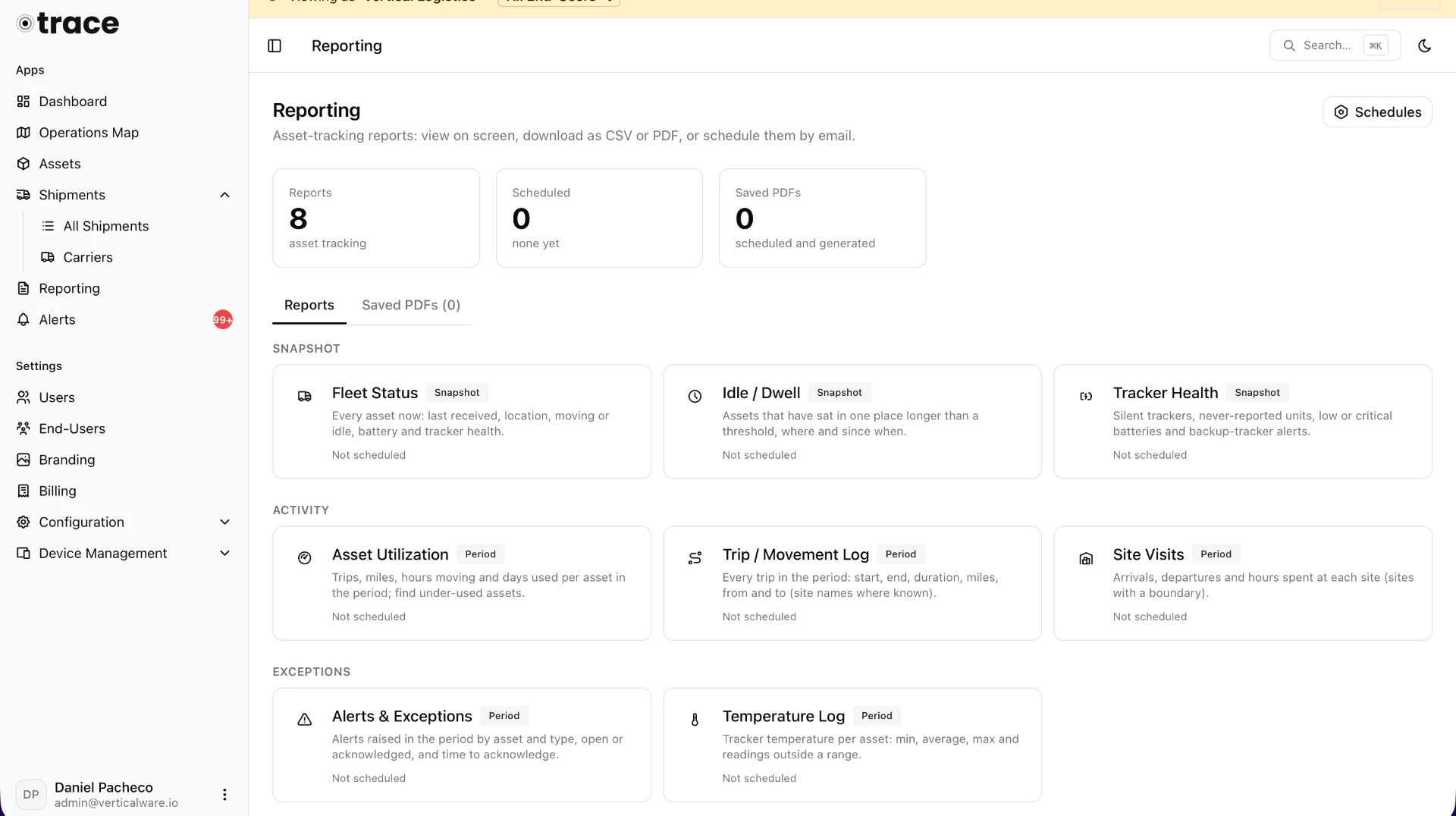
Reporting
Answers in seconds, delivered on schedule
Eight ready-made reports, on screen or as CSV and branded PDF:
- Fleet StatusWhere is everything, and when did it last report?
- Asset UtilizationHow much is each asset actually used?
- Idle and DwellWhich assets are sitting, and for how long?
- Tracker HealthWhich trackers are silent, low on battery or never reported?
- Trip LogEvery trip, with start, end, miles, stops and top speed.
- Alerts and ExceptionsEvery alert by asset, type and severity.
- Site VisitsWhen did assets arrive at and leave each site?
- Temperature LogDid cargo stay in range?
Schedule reports by email in each customer’s time zone, keep a library of every PDF sent, and let customers run reports on their own assets.
Alerts
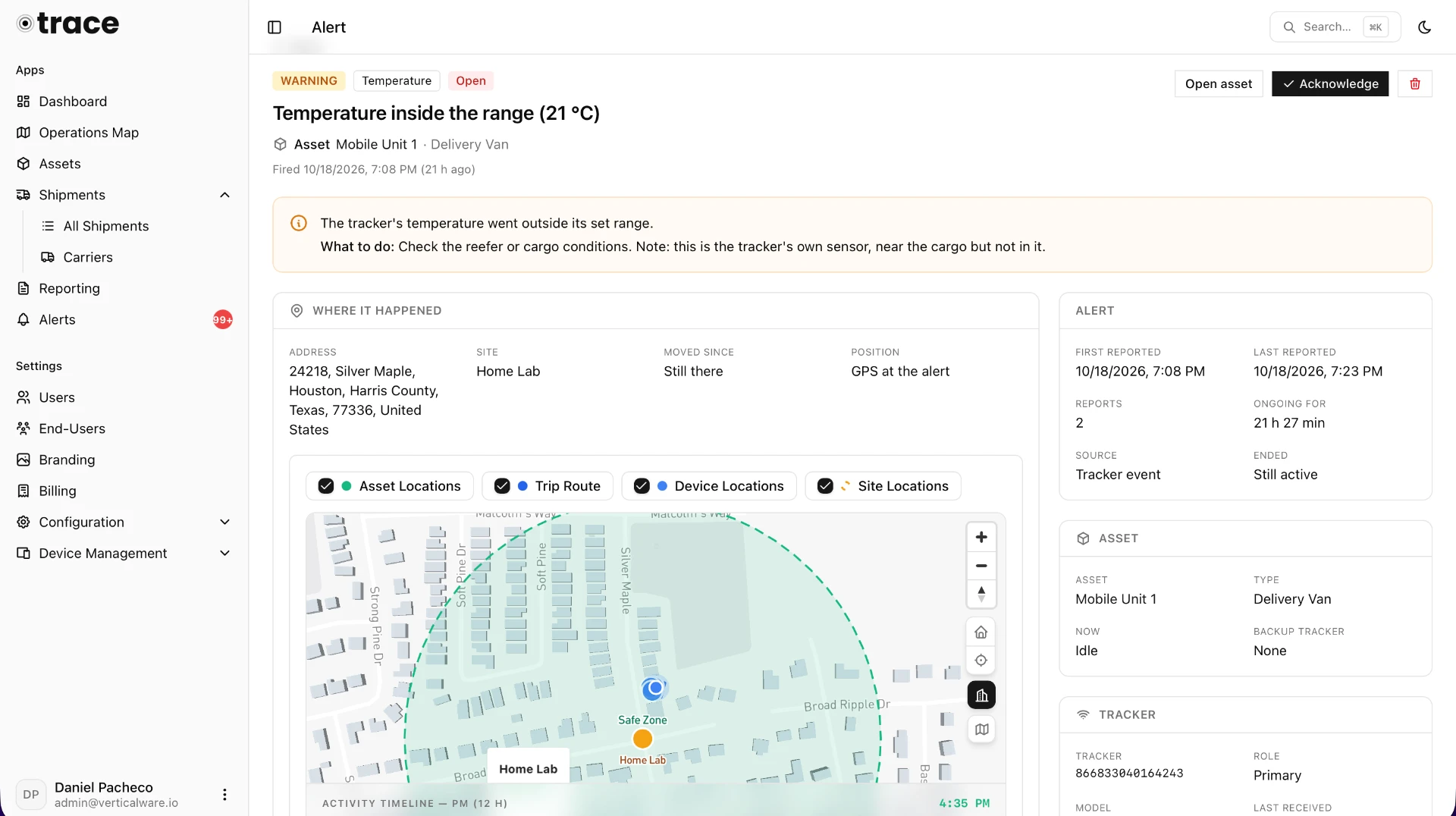
Alerts that tell you what happened and what to do next
Every event in one place
Motion, door open, tamper, temperature, battery, power, geofence and rule alerts in a single list.
No alert storms
One alert per alarm while it’s active, with a repeat count and duration.
Full context
Each alert opens with a map, address, the readings at that moment, a timeline and guidance on what to do.
Accountability built in
Acknowledge alerts with notes and see who handled what.
Fewer false alarms
Alert everywhere, only outside your Safe Areas, or only in Unsafe Areas, so your own crew opening a trailer at the yard doesn’t wake anyone up.
Respond from anywhere
Branded email notifications that link straight to the alert.
Sites, Geofences & Rules
Automation anyone can set up
Draw polygons, rectangles or circles around yards, depots, ports and customer sites. Mark each one as a Safe Area or an Unsafe Area, and assets are assigned to sites automatically as they arrive. Then build rules in four plain steps:
When
An asset enters, leaves or stays in an area, raises an alarm, crosses a reading, sits idle, stops reporting or completes a trip.
Which
All assets, certain asset types or specific assets.
Where
Everywhere, outside Safe Areas or in Unsafe Areas only.
Then
Set the severity, email your team, your customer or any address, or call a webhook.
No code, a test email before going live, and no duplicate notifications.
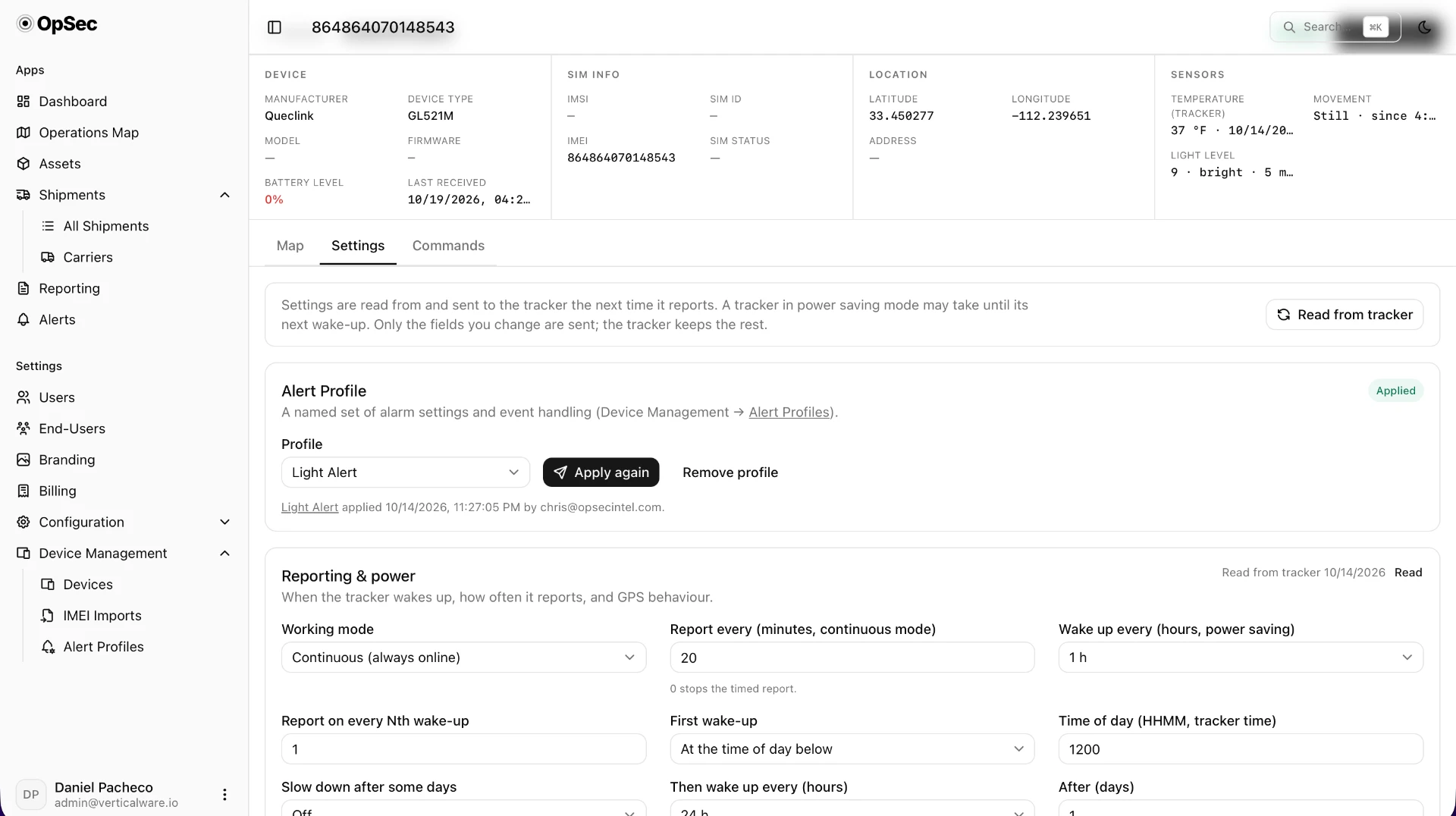
Device Management
Control your trackers from the browser
Register hundreds of trackers in minutes
Paste or upload a list of IMEIs, validate it and import.
Fix trackers without a truck roll
Locate now, reboot, check firmware or read the configuration remotely.
Change how trackers behave
Reporting interval, power, motion, light, tamper, temperature and Bluetooth settings.
Reliable with sleeping trackers
Commands wait until the device next reports, and confirm when they’re delivered.
Configure a fleet in one click
Alert profiles apply the same settings to many trackers, with live status for each one.
Your full inventory
Every device with its model, IMEI, linked asset and status: in stock, deployed or out of service.
Your Brand & Customers
White label, portals and billing
Built for resellers and service providers who offer tracking to their own customers.
Your logo everywhere
Light and dark logos across the platform, plus branded emails, PDF reports and tracking pages.
Co-branding for key accounts
A separate logo per customer.
A portal for each customer
Each one sees only their own assets, sites and shipments, with their own Admin, Standard and Viewer logins.
Package service tiers
Turn apps and admin features on or off per customer.
Lower your support load
Customers manage their own users, sites, rules and maintenance, and you can view their portal exactly as they see it.
Billing built in
Per-device monthly invoices from draft to paid, PDF invoices, a customer billing page, and a recurring-revenue overview for your business.
Integrations
Works with the trackers you already own
Supported out of the box
Queclink GL521M; Digital Matter Yabby3-4G, Hawk-4G and Yabby Edge; LocoAware HGD4.
Any other device or platform
Connects through configurable HTTPS API endpoints with field mapping.
MQTT
A secure TLS broker with per-user accounts and topic permissions, plus connections to cloud brokers such as HiveMQ Cloud.
UDP
High-volume listeners with native Queclink protocol support and two-way commands.
Webhooks
Push alerts to your TMS, ERP or ticketing tools as signed JSON.
Send from your own mail server, with your branding.
Automatic discovery
Unknown trackers appear in one list, ready to register in bulk.
Security & Reliability
Security and reliability
Customer data kept separate
Strict isolation between customers, verified by more than 1,000 automated checks before every release.
Encrypted connections only
HTTPS, MQTT over TLS and authenticated API endpoints.
The right access for everyone
Role-based users, plus read-only customer portals and shared links.
Your history protected
The raw location record is kept and backed up nightly.
Anywhere, on any device
Works on desktop and phone, in light and dark mode.
Digital Transformation
70% of digital transformation initiatives fall short of their objectives.
We help industrial organizations turn data into measurable operational results through AI, Industrial IoT, and Industry 4.0 solutions.
Book a demo
Ready to see it on your fleet?
Book a demo and see Trace running on real trackers, shipments and alerts.